Home » Our Services » Security System Migration
Upgrade Your Security System Without Disrupting Your Operations
NYSS manages the transition from legacy systems to cloud-based platforms with minimal downtime and full support.
The Problem
Why Most Organizations Delay Upgrading Their Security
Replacing a security system can feel like a major risk.
Common concerns include:
- Disrupting daily operations
- Downtime during installation
- Managing multiple locations at once
- Losing access to existing data
So systems stay in place longer than they should.
Migration Doesn’t Have to Be Disruptive
With the right approach, security system upgrades can be planned and executed in phases, minimizing risk and maintaining continuity.
That’s where NYSS comes in.
Our Process
How NYSS Manages Security System Migration
System Assessment
We evaluate your current infrastructure, limitations, and goals.
Migration Strategy
We design a phased plan tailored to your locations and operations.
Deployment
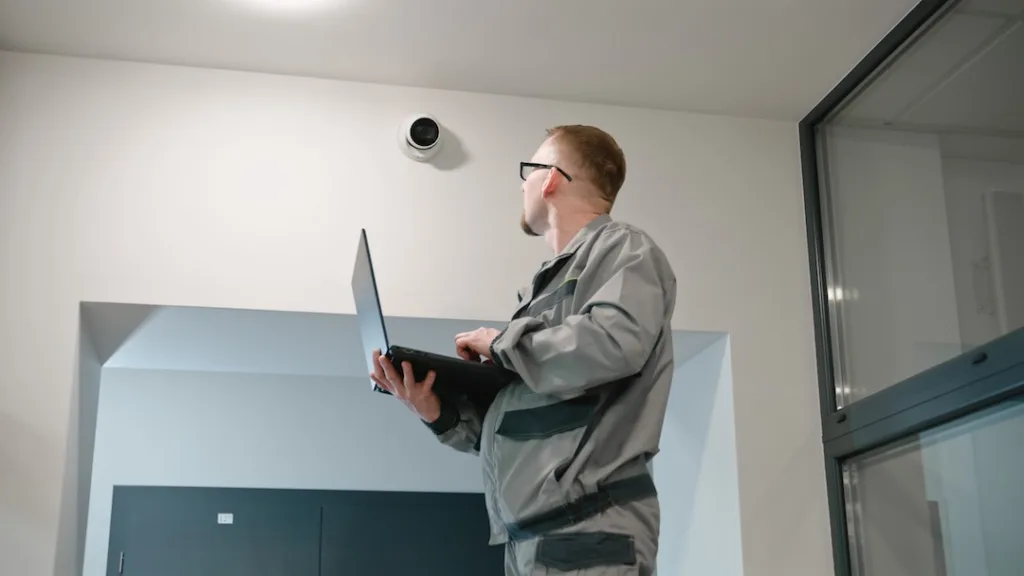
Our team handles installation, configuration, and system setup.
Transition Support
We ensure continuity as your team adapts to the new system.
Ongoing Support
We remain involved after deployment to ensure long-term performance.
What Makes This Different
Built Around Minimizing Disruption
Every migration is planned with your operations in mind.
We prioritize:
- Phased rollouts across locations
- Minimal downtime during transitions
- Clear communication throughout the process
- Long-term system performance
Who This Is For
Ideal for Organizations That:
- Are using legacy access control or video systems
- Manage multiple locations
- Are experiencing system limitations
- Want to move to a cloud-based platform
Results
What You Gain After Migration
- Improved visibility across locations
- Reduced reliance on outdated infrastructure
- Easier system management
- A platform that scales with your organization
FAQ
Security System Migration FAQs
What is involved in a security system migration?
Security system migration involves transitioning from an existing system to a new platform. This includes planning, installation, configuration, and ensuring continuity during the process.
Will our operations be disrupted during the migration?
NYSS designs migrations to minimize disruption. Many projects are completed in phases to maintain normal operations throughout the transition.
Can migration be done across multiple locations?
Yes. Multi-site migrations are typically handled in phases, allowing for a controlled and organized rollout.
Do we need to replace everything at once?
No. Many organizations choose a phased approach, upgrading locations or components over time.
What happens to our existing data and footage?
This depends on your current system and requirements. NYSS evaluates options for preserving or transitioning data during the planning phase.
How long does a migration take?
Timelines vary based on system size and complexity. A clear timeline is established during the planning stage.
How do we know when it’s time to upgrade?
Common signs include increasing maintenance costs, limited system capabilities, and difficulty scaling across locations.
What support is provided after migration?
NYSS provides ongoing support to ensure the new system continues to perform and adapt to your needs.
How do you upgrade from a legacy security system?
Upgrading typically involves evaluating your current system, creating a migration plan, and transitioning to a new platform in phases to minimize disruption.
How long does it take to replace a security system?
The timeline depends on the size and complexity of the system, but many projects are completed in phases to maintain normal operations throughout the process.
Can you upgrade a security system without downtime?
In many cases, yes. With proper planning and phased deployment, downtime can be minimized or avoided entirely.